

Stuck right nowLockouts
Keypad or smart lock battery dead? How to get back inside
A dead keypad deadbolt nearly always has a way back in: a key cylinder, two 9-volt contacts or a USB port. Here's how to find yours before you need it on a wet, windy doorstep.
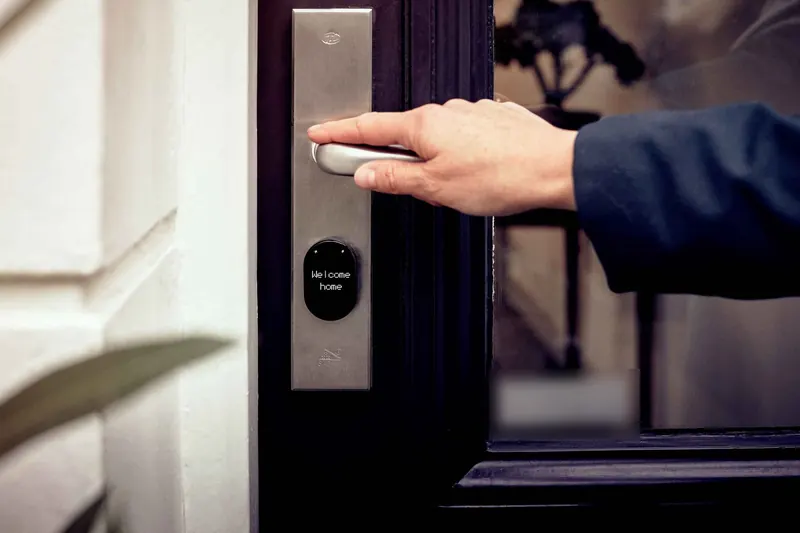
Below: how to spot your backup, what the main brands use, what a storm outage does and doesn't affect, and why damp, salty winters are hard on these locks.
Where is the backup on my keypad lock?
Look closely at the outside half of the lock, the part with the keypad. There are three things to look for.
- A keyhole. Either in plain view under the keypad or hidden behind a small cap or sliding cover. With the key, this is the easiest way in and needs no power at all.
- Two metal contacts. Two small studs or pads, usually along the bottom edge. Touch the terminals of a fresh 9-volt battery to them and the lock wakes up long enough to take your code.
- A USB port. Some newer smart locks have a USB-C or micro-USB port on the outside. A phone power bank and a cable give it enough power to accept your code.
If none of these is obvious, search the model number, found on the inside half of the lock or on its box, on the maker's support site. Better still, do it today while the door is open.
Check the outside half of the lock for a keyhole, two small metal contacts or a USB port.
What backup do Schlage, Kwikset and Yale locks use?
Models differ, so use this as a starting point and check your own manual.
| Brand and model family | Backup when the battery dies | Source |
|---|---|---|
| Schlage Touch deadbolt and lever (BE375, FE695) | A 9-volt "battery jump" on the contacts below the keypad, then enter a code | Allegion support |
| Schlage keypad deadbolt | Powered by a 9-volt inside the lock; a steadily blinking red Schlage button means it is running low | Schlage tip sheet (PDF) |
| Kwikset keyless deadbolts with terminals | A 9-volt held on the terminals; if nothing happens, turn the battery round or try a new one | Kwikset support |
| Nest x Yale Lock | A standard alkaline 9-volt held on the contacts at the bottom, then your passcode | Google support |
What the makers agree on:
- Use a fresh alkaline 9-volt. One that has sat in a drawer for years may not have enough left.
- Hold it on both contacts the whole time you key in the code. If it slips, start over.
- Replace the batteries once you're in. The 9-volt only powers that one opening. Schlage notes that on some models the door can stay unlocked from outside until you change the batteries or lock it by hand.
What if I can't see any backup?
A few keyless models have no cylinder and rely only on contacts or a USB port. If yours has neither, or the backup won't wake it, the lock may have a fault rather than a flat battery, and it's time to stop trying.
Try a fresh alkaline 9-volt, turn it the other way round, and keep it on both contacts while you enter the code. If it still won't wake, stop there.
No backup and no key: what now?
Call a locksmith rather than prying at the lock. Under the keypad is still a deadbolt, and an experienced locksmith opens most of them without damage, by picking the key cylinder where there is one or by other non-destructive methods. Drilling is kept for a lock that has failed or is built to resist picking, and you should hear why before anyone starts. Does a locksmith break your lock explains what to expect.
Our technician checks ID before opening the door, or right after if your ID is inside. Why a locksmith asks for ID explains why. If you're outside a dead keypad right now, locked out of your house is the page you need.
This one is a call, not a fix.
Call rather than prying at the lock. Most keypad deadbolts open without damage, and drilling is a last resort.
Locked out of your houseWill a power outage lock me out?
On its own, no. Most keypad and smart deadbolts run on their own batteries, not on house power, so a storm that takes the power out does not stop the keypad. What does stop is anything that depends on your home Wi-Fi: unlocking from the app, remote codes for guests, and alerts on your phone.
Two things are worth doing before storm season:
- Make sure everyone in the house knows the code, rather than relying on the app to let them in.
- Change the batteries in the fall, so a long outage, when you're coming and going more than usual, doesn't coincide with a lock running on its last charge.
A battery keypad keeps working without house power. The app and remote access are what usually drop out.
Why do keypad batteries die faster in a Halifax winter?
Batteries give less power when they're cold, and a front door spends the winter cycling between freezing nights and damp, milder days. The motor that throws the bolt also has to work harder when a door has shifted with freeze-thaw and the bolt drags in the strike. Put those together and a set of part-used batteries can fade quickly.
Salt air and wet weather add to it. Moisture and salt on the outside contacts or around the keypad can corrode them over time, and a keypad crusted in freezing rain is harder to use.
Most locks warn you before they quit:
- a flashing red light or a beep pattern after you enter the code
- a low-battery alert in the app, if the lock is connected
- a slower, strained sound as the motor turns the bolt
Those warnings are easy to ignore for a few days. In winter, those few days are often all you get. If your bolt drags or the door needs a shove to latch, that is worth fixing in its own right, and our guide to smart locks in cold weather has more on how electronic locks cope with our climate.
Change the batteries today. In winter, a few days of warnings is often all you get.
How do I keep it from happening again?
A simple routine saves a miserable evening on the step.
- Change the batteries on a set date, not just when the lock complains. Schlage suggests the day you test your smoke alarms. Late fall, before storm season, makes a good second date.
- Use the battery type the maker names. Some specify alkaline, so check before switching to lithium or rechargeables.
- Keep a fresh 9-volt where you can reach it from outside, in the car, a bag or the garage, not in the house.
- Keep a mechanical key if your lock has a cylinder, and leave a spare with someone you trust.
- Wipe the keypad and contacts dry now and then through the winter, especially on a door that faces the wind and salt spray.
Once the door is open, we can also look at why the batteries died early. A binding bolt or a door that has shifted is a common cause, and often a quick fix while we're there.
Change batteries on a set date and keep a fresh 9-volt somewhere you can reach from outside.
Questions people ask
- How do I open a keypad lock when the battery is dead?
- Use the backup built into your model. Many locks wake up when you hold a fresh 9-volt battery against two contacts on the outside and enter your code. Others take a key in a hidden cylinder or a power bank in a USB port. Replace the batteries as soon as you're in.
- Will a power outage lock me out of my keypad lock?
- Not on its own. Most keypad deadbolts run on their own batteries, not house power, so the keypad keeps working in an outage. What usually stops during an outage is remote access through the app, because the home Wi-Fi is down.
- How often should smart lock batteries be changed?
- Whenever the lock warns you, and on a set date even if it doesn't. Schlage suggests replacing them each year when you test your smoke alarms. In Halifax, a second change in late fall, before the storm season, is a sensible habit.
Still stuck? Call, and a person answers.
Open 24 hours, 7 days. Tell us which one it sounds like, or text a photo first.
Locked out of your house · You approve the price before we start.
Keep reading
All guides Right now
Does a locksmith break your lock to get you in?
A good locksmith gets you in and leaves the lock working. Here is how that's done, the few cases where drilling is the right call, and the questions that tell you who you're dealing with.
 Right now
Proof of ownership: what a locksmith should ask you for
Before a door is opened, a good locksmith checks you belong there. What to show for a home, a car or a business, and what to do when your ID is on the wrong side of the door.
 Plan ahead
Swapping keys for fobs: access control for a small business
Seasonal staff, part-timers and a back door nobody can account for. Here is how fob and card access works for a small business, and what coastal weather asks of the hardware.